Barcode Label Creator Software – Professional edition provides more efficient and easy way to generate bulk barcode labels in minimal time. Barcode program uses different Linear and 2D barcode font symbologies and create high quality barcode images as specific to industry requirements. The advance barcode software settings allows user to design and create different types of barcode labels including barcode images that easily gets printed by any barcode scanner and printer. Cost-effective barcode software is simple to operate and useful for small to large business sectors (including Retail stores, Postal services, Transportations, Manufacturing, Libraries etc).
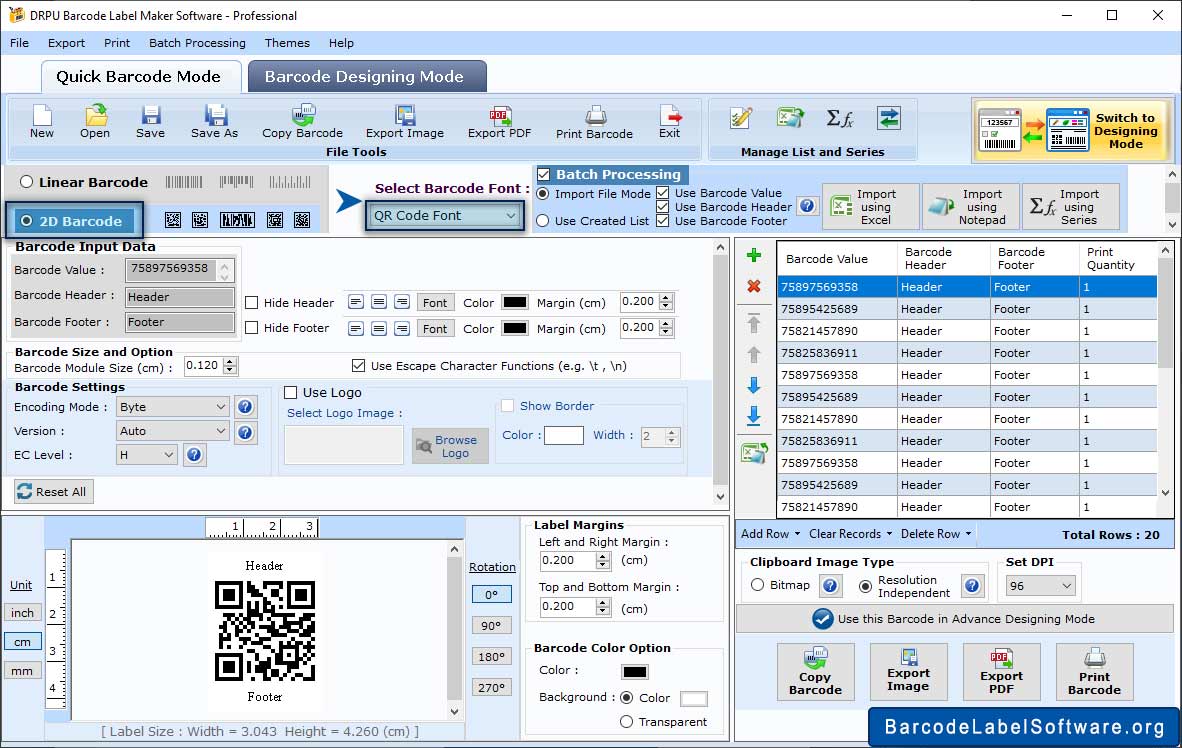
Enter barcode value and now click on “General Settings” tab to set barcode header, footer, Top, Bottom, Left and Right Margin.
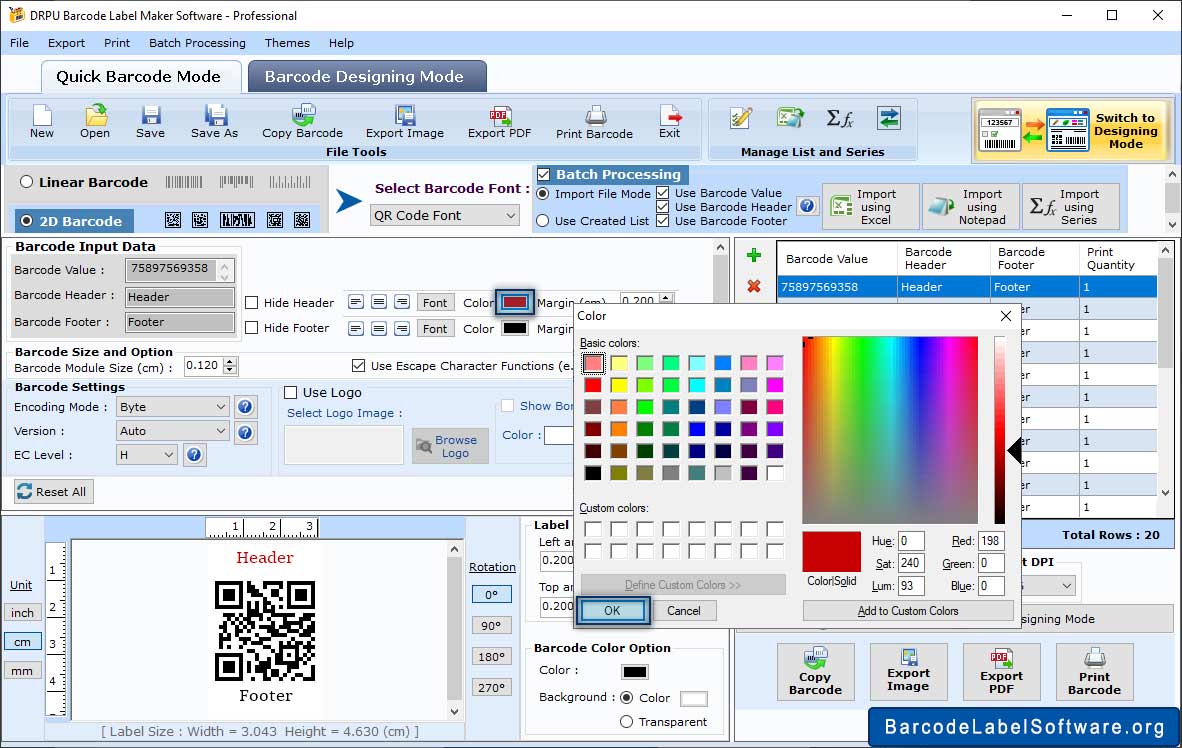
Click on “Color Settings” tab and now select barcode background color according to your need.
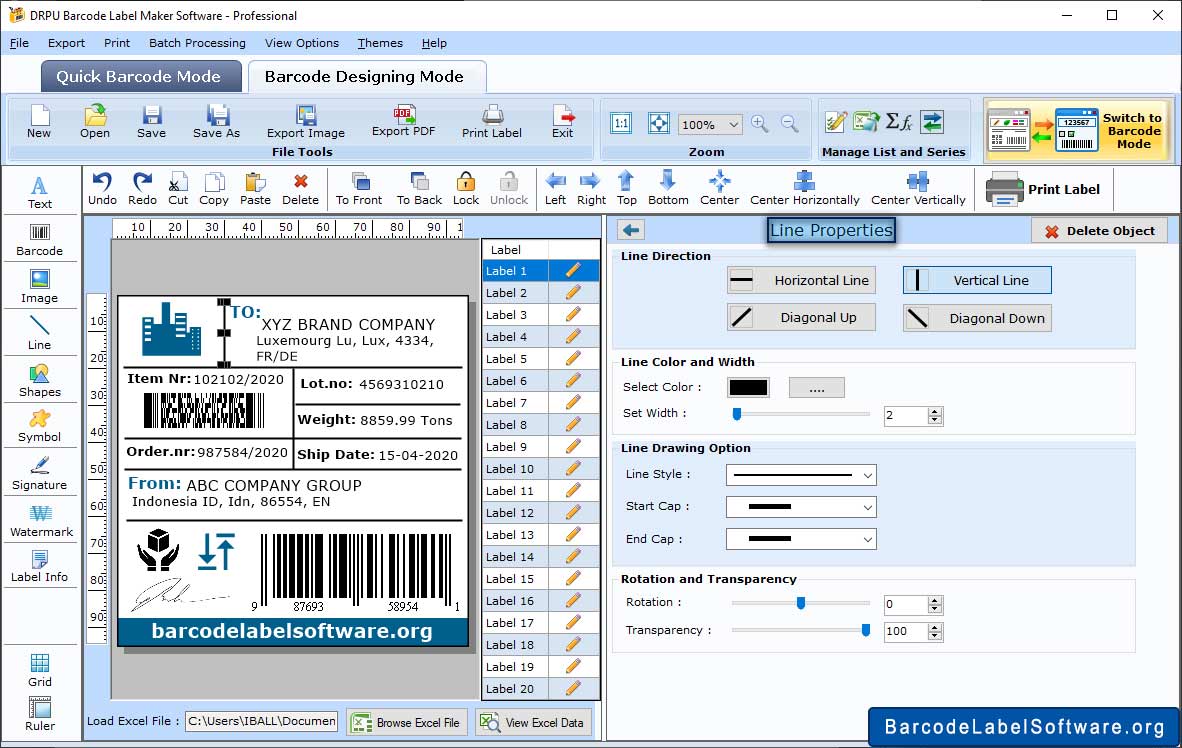
Click on Barcode Designing View and using Drawing Tools design your card line. Set the line Properties.
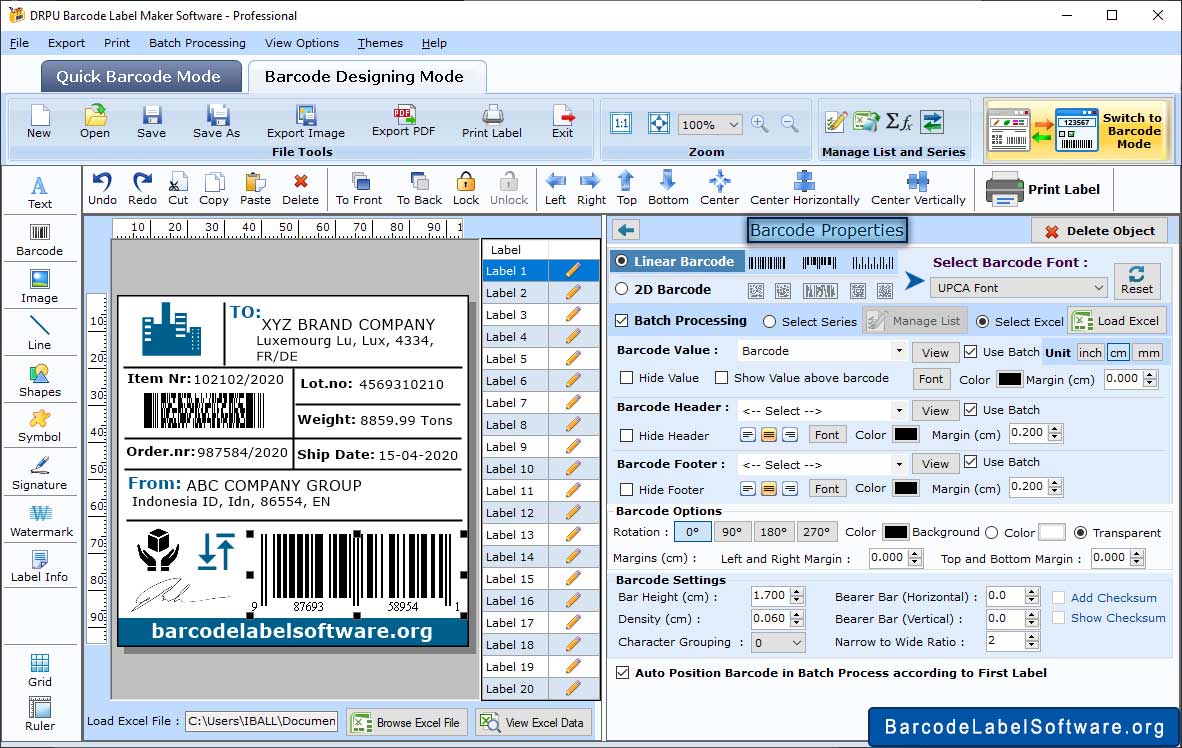
In Barcode Properties, Select any one option from Linear and 2D Barcode then enter the Barcode Vlaue and click Ok.
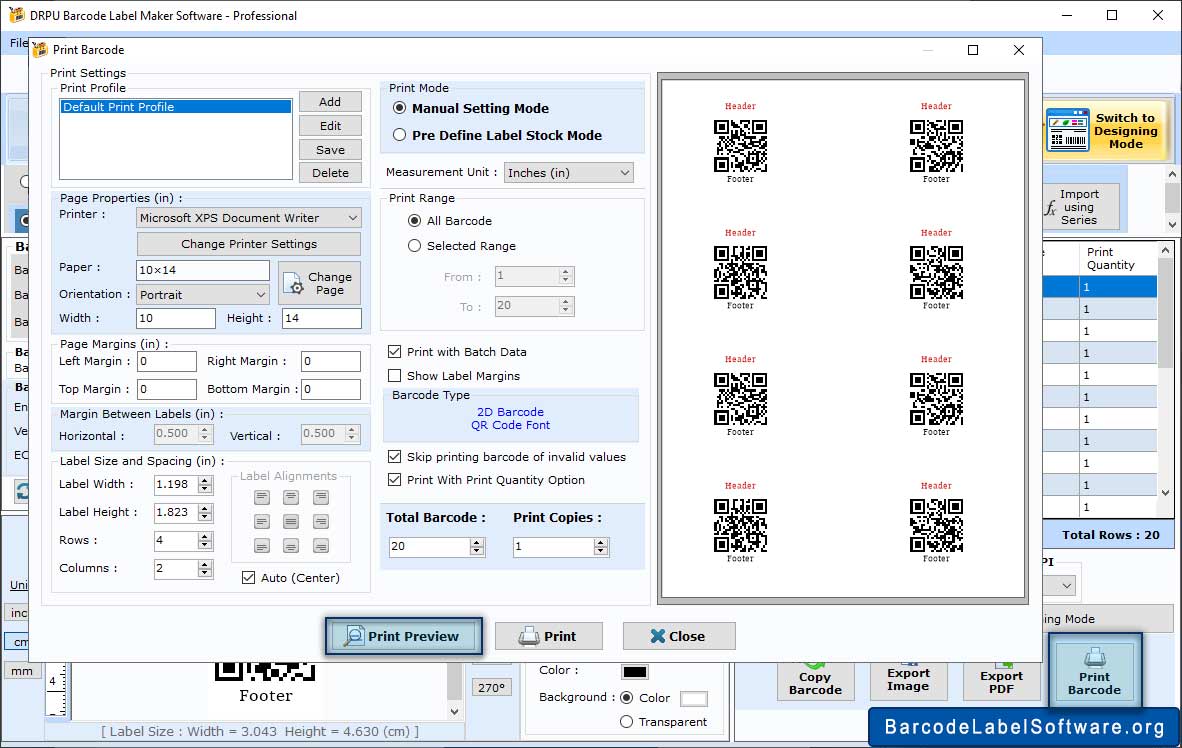
To print out the barcode set the print settings and click Print.
Barcode Designing View feature facilitates user to design barcode labels using different image designing objects (line, pencils, pictures, texts etc).
Barcode label printing Software allows user to print multiple barcodes on single paper. User can change paper margins and barcode position using advance print settings.
Barcode batch process feature of software facilitates user to generate multiple barcode labels/lists using Random series, Constant Value series or Sequential series options.
User can easily create customized barcode labels using improved barcode settings (General settings, Font settings, Color settings and Image settings).
The generated barcode images are saved in different file formats (JPEG, TIFF, Bitmap, PNG, WMF, EMF, EXIF and GIF).
The created barcode images are easily copied and paste at different Windows applications including MS-Word, MS-Paint, MS-Excel etc.
Professional Barcode maker software even generates printable barcode labels using advance color settings.
Barcode generator Software provides facility to import barcode list saved in text file format at specified location on the system.
Other Features :
Supported Barcode Fonts :


